
⚡️ Split, or how to divide your income between several accounts?
How to create or delete a split.
A split sends part of your income to another account on the pool.
How to create a split
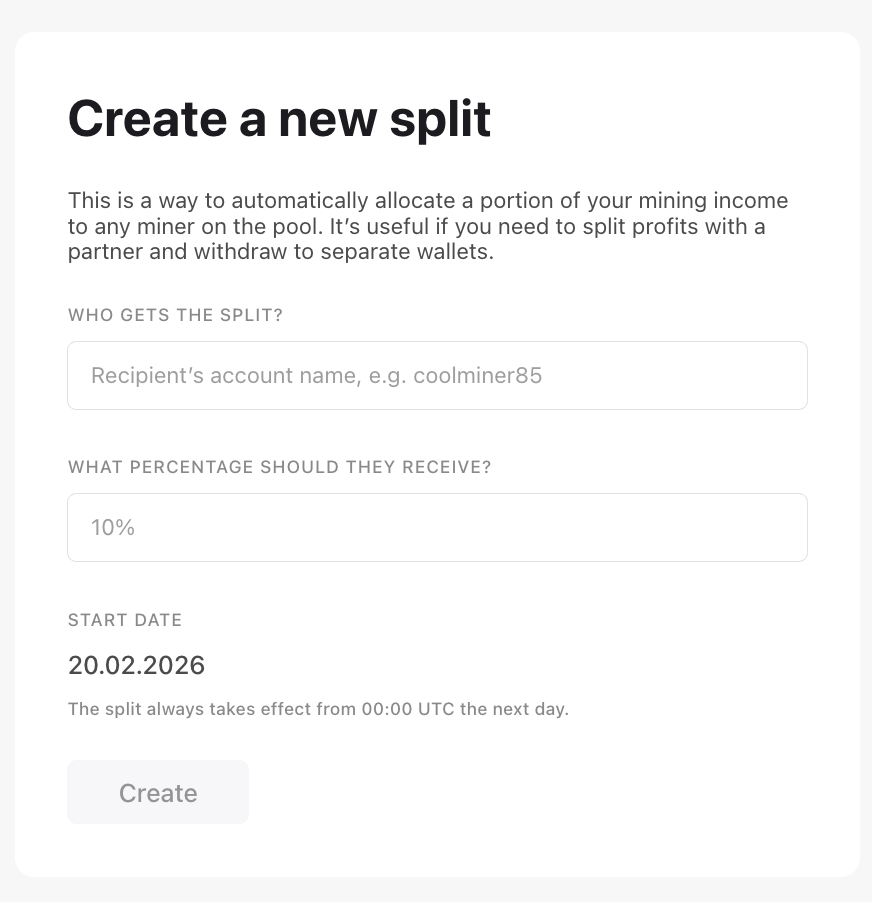
- Open the Split tab.
- Enter the recipient's account name and the percentage.
- Save and confirm with your 2FA code.
The split turns on at 00:00 UTC (03:00 Moscow time) the next day and appears in the list at the same time.
How to delete a split
Click the trash icon and confirm with your 2FA code. The split turns off at 00:00 UTC (03:00 Moscow time) the next day.
If something goes wrong, write to our support chat.