
⚡️ How to give access to your account
Access by email with roles, and watchlinks.
You can share your account's statistics or finances in two ways: give access by email or send a watchlink.
Access by email
For people who already have an account on the pool.
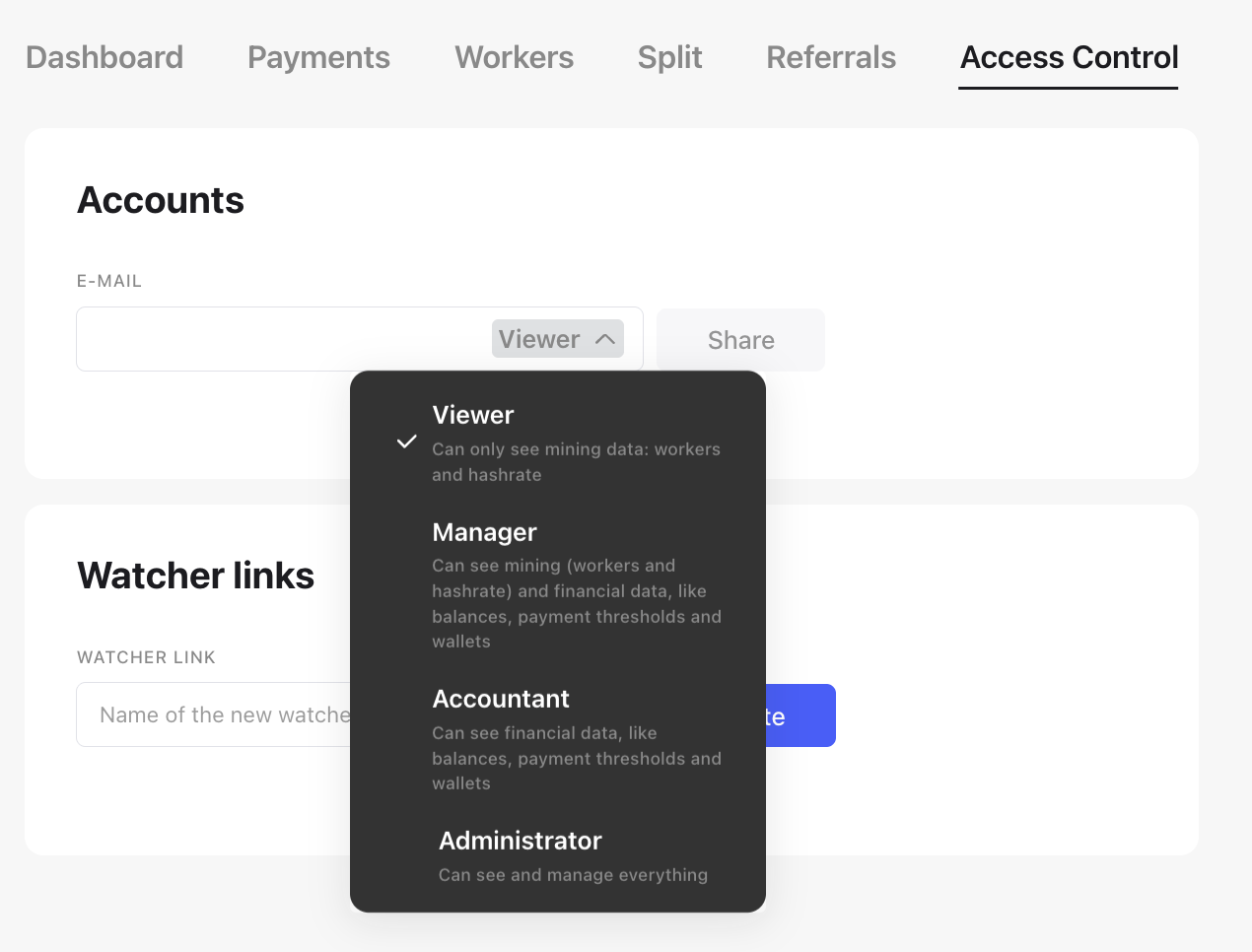
- Open the Access tab.
- In the Accounts block, enter the person's email and choose a role.
- Click Share and confirm with your 2FA code.
| Role | What they can see |
| Observer | Mining data: workers and hashrate |
| Accountant | Finances: balance, minimum payout amount and wallets |
| Manager | Mining and finances |
| Administrator | Everything in the account, including changing settings |
Watchlink
A view-only link. You can send it to someone who has no account on the pool, such as your accountant or a partner.
- Open the Access tab.
- In the Watchers block, enter a name for the link and choose a role.
- Click Create.
| Role | What the link shows |
| Observer | Mining data: workers and hashrate |
| Accountant | Finances: balance, minimum payout amount and wallets. The payment export can be downloaded |
If you open a section that isn't included in the role, you'll be asked to log in. This is not an error: a watchlink only shows what its role allows.
How to revoke access
On the Access tab, delete the person or the watchlink and confirm with your 2FA code.