
⚡ Promo codes
A promo code gives you a discount on Headframe's commission. You can apply it in two ways – during the registration of a new account, or in your account settings if you are already registered. Below we cover both options.
Where to get a promo code
There are several places to find a promo code:
- In our Telegram community – when a promo code is posted publicly.
- In Headframe email newsletters.
- From your sales manager – after an individual arrangement.
How to apply a promo code during registration
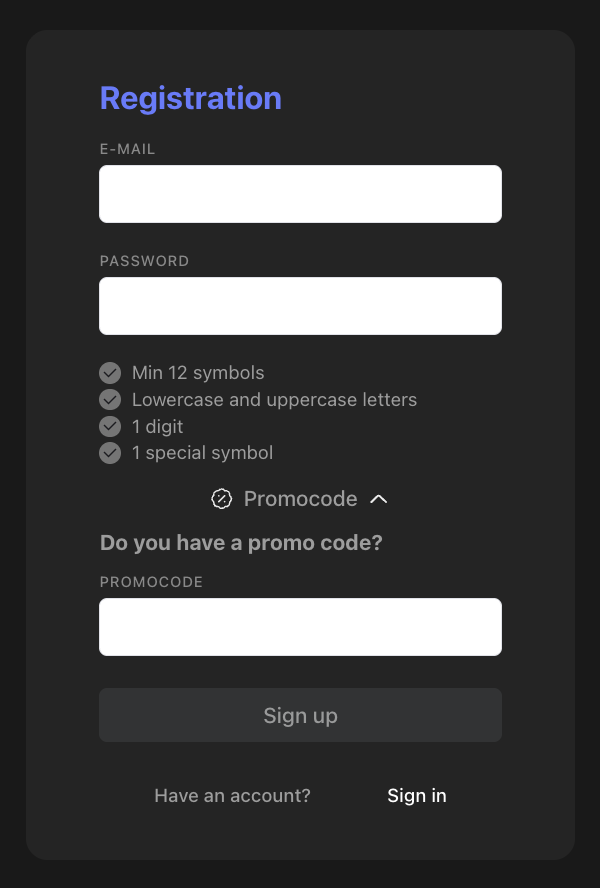
On the registration page, fill in the "E-mail" and "Password" fields. Please note that the password must contain at least 12 characters, upper- and lower-case letters, at least 1 digit and 1 special character.
Then click "Promocode" – the "Do you have a promo code?" section will expand. Enter your promo code in the field that appears and click "Sign up".
How to apply a promo code in your account
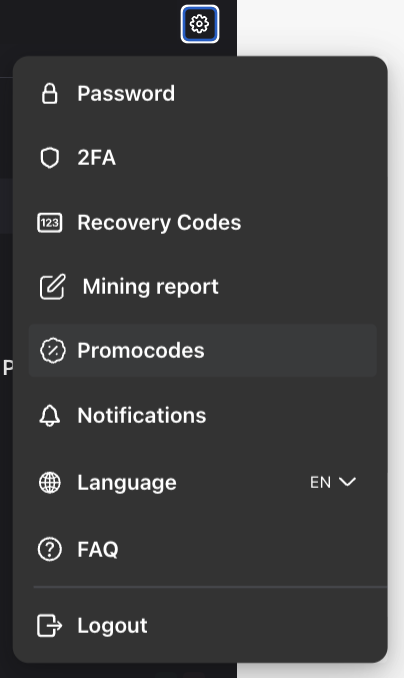
If you are already registered, go to "Settings" – the gear icon in the top-right corner next to your e-mail – and select "Promocodes".
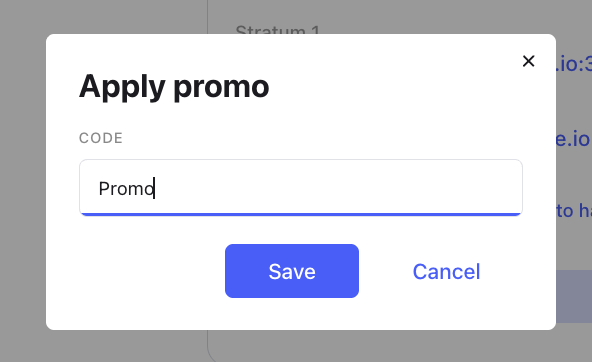
In the window that opens, enter your promo code in the "Apply promo" field and click "Save".
Not sure whether the promo code was applied?
If you are not sure whether the promo code was applied, contact support or your manager to clarify the details.